
| Symptom | First action | Planning use |
|---|---|---|
| Bot ignores or garbles parts of your resume | Strip complex graphics and keep the formatting simple | Do this before copying any text into a builder |
| Your strongest experience never comes up | List experience in reverse chronological order, with the most important items toward the top | Decides which answers you write first |
| Bot invents employers, skills or dates | Tell it to use only the provided data and not prior knowledge | Write this rule into the bot’s instructions |
| Bot guesses when asked something your resume does not cover | Instruct it to say it does not know | Check it with deliberately off-resume questions |
| Answers change quality from one wording to the next | Test many prompt versions before settling on one | Budget time for repeated rounds, not a single pass |
Resume layout guidance comes from the St. Kate’s career center, and the data-only and “say you don’t know” prompt rules from a resume bot build write-up.
Learning how to build a resume chatbot comes down to preparing your source content and test questions before touching any platform. Start with a clean resume, turn it into question-and-answer rows, restrict the bot to that data, and test it before sharing.
The walkthrough below works with any builder. If you are still deciding whether the idea suits you, read what is a resume chatbot first, and see the wider resume chatbot guide for the full picture. Each section pairs a common symptom with its fix.
What to have ready before you start
You need your current resume, a clear idea of who will ask the bot questions, and a short list of questions you expect. Everything else, including the platform, can be chosen after the content is ready.
- A resume you trust. The bot can only be as accurate as the document behind it, so fix outdated roles and wording first. A job seeker who updates the resume after building the bot will have to update the bot too.
- A knowledge base. This is simply the text the bot answers from. A Dialogflow tutorial builds its resume bot from intents for introduction, experience, projects and contact, which is a useful minimum set of topics whatever tool you pick.
- Self-contained answers. According to a serverless resume assistant guide, each request to a language model must carry all the context needed for a relevant reply. Write each answer so it makes sense without the rows around it.
- A test list. Start collecting the questions you want to try as soon as you begin drafting.
Prepare the resume as source material
Clean source text prevents most downstream problems, so spend the first session on the resume itself rather than on the builder.
- Symptom: text comes out scrambled or incomplete. Fix it by simplifying. The St. Kate’s guidance warns that complex graphics may cause issues with the AI that reads resumes, and the same logic applies when you paste your resume into a bot builder.
- Symptom: the bot leads with minor details. Fix the order. The guidance says to list experiences in reverse chronological order under each heading and to make sure the most important items appear toward the top of the page. Mark the items you most want a recruiter to hear about.

Turn resume bullets into answers a bot can use
Convert each bullet into a question a visitor might ask and a short answer written from the resume’s own wording. A bullet about leading a project, for instance, becomes “What was your role on that project?” with a plain first-person answer.
The data layout can be very simple. The resume bot write-up stores its data in a CSV file with just two columns, question and answer. That shape suits both common approaches:

- Retrieval with a language model. Retrieval-augmented generation (RAG) combines an information retrieval component with a large language model. The same write-up stores embeddings in a vector store or database for rapid retrieval, so your rows are found first and the model answers from them.
- Intent matching. In the Dialogflow tutorial, intents map user input to responses, and training phrases are matched against user inputs to trigger an intent. Natural language processing is what lets the bot connect a visitor’s wording to the right intent, so each answer needs several phrasings that point to it.
Choose retrieval if you want free-form conversation, and intent matching if you want tighter control over every reply. In both cases, keep answers short and factual, and reuse the resume’s wording instead of embellishing it.
Questions the bot should be ready for
Group the questions by the same topics a recruiter scans for: who you are, where you have worked, what you have built, and how to reach you. These mirror the introduction, experience, projects and contact intents in the Dialogflow tutorial.
- Introduction. “Tell me about yourself” and “What roles are you looking for?”
- Experience. Questions about each role, in the same reverse chronological order as your resume.
- Projects and skills. What you built, with which tools, and with what result, but only where the resume says so.
- Contact. How to reach you or where to find your full resume.
- Gaps and limits. Questions the resume cannot answer, such as salary expectations or topics you have not written about. Draft a polite response so the bot declines cleanly.

For each question, write several differently worded versions. If you use intent matching, those become the training phrases; if you use retrieval, they become your test list.
Stop the bot inventing details
A language model can state things that are not true, and a resume bot that does so puts false claims in your name. The fix is to limit what it may say and to give it permission to stay silent.
- Symptom: it names an employer, tool or date that is not on your resume. Add an instruction to use only the provided data and not prior knowledge. That is the wording used in the resume bot write-up.
- Symptom: it answers confidently when the resume is silent. Tell it that if it does not know the answer, it should say so rather than making one up.
- Symptom: it still drifts from the source. Retrieval grounds answers in your rows, and the write-up notes that this approach also helps reduce hallucinations in generative AI applications. Reduce is the operative word: it lowers the risk but does not remove the need to test.
Where your builder offers a system message, put these rules there. The dev.to guide describes it as a hidden but important participant that sets the tone of the conversation.
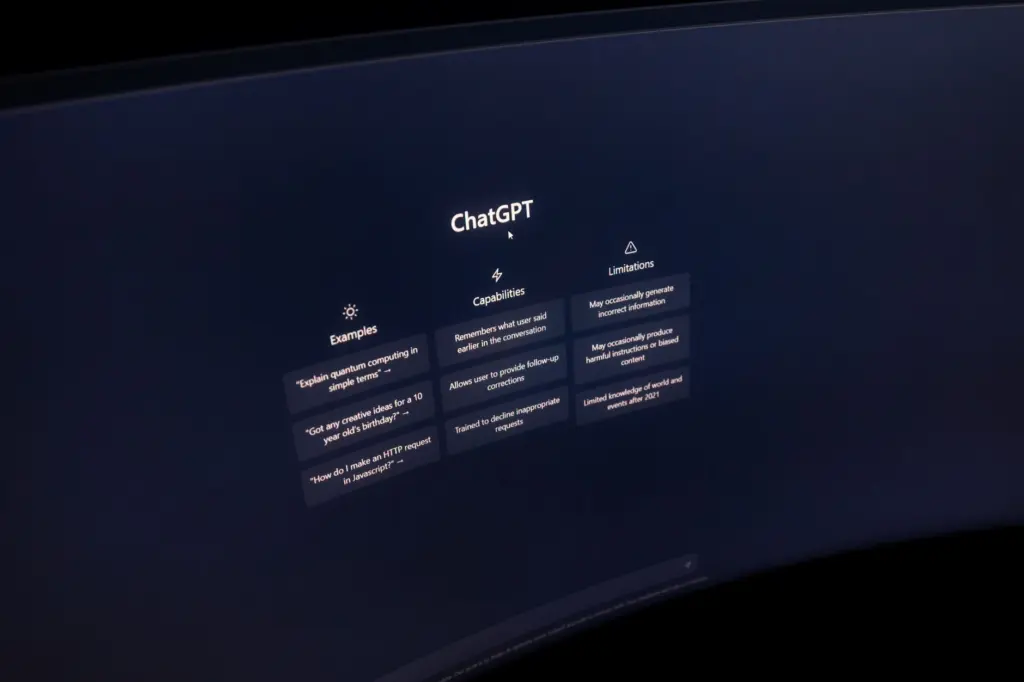
Test the bot before you share it
Treat testing as a real phase, not a last glance. The resume bot write-up says its bot still required extensive testing and tweaks in both conversational design and intent training, and that many different prompts were tested before one worked well.
- Ask every question from your drafted list and compare each answer line by line with the resume.
- Rephrase the same question several ways and confirm the answer stays consistent.
- Ask questions your resume does not cover and confirm the bot declines instead of guessing.
- Fix the weakest answer, then rerun the full list, because one change can shift other replies.
In an intent-based builder, the fallback intent is called when a user’s input does not match any other intent. Check that this fallback reply sounds like you and points visitors to your contact details.
Stop and share when every drafted question returns an answer that matches your resume and every off-resume question gets an honest decline. If either list still fails, keep revising the rows or the instructions rather than publishing.
Share it and compare your result
Once the tests pass, place the bot where recruiters will already look, such as a personal web page or the link in your application. Keep the plain resume available alongside it for anyone who prefers to read.
To see how other builders structured their content and tone, browse these resume chatbot examples and adapt what fits your own roles.
Frequently asked questions
| Question | Answer |
|---|---|
| Should I build the bot around one target job? | It helps. The St. Kate’s guidance says to tailor your resume to each position you apply for, so emphasise the matching experience in your answer rows and keep the rest accurate. |
| Why do long conversations cost more? | Per the dev.to guide, the longer a conversation goes on, the more context is built and the more expensive requests become. Short, self-contained answers keep that context small. |
| What is a system message? | It is the hidden participant in a chat model that sets the tone and rules of the conversation. It is the natural place for your use-only-the-resume instruction. |