| Topic | Verified detail | Planning use |
|---|---|---|
| ATS parsing | Enhancv offers 15 ATS-tested templates, each parsed at 90%+ by Sovren and RChilli | Keep the resume you actually submit parser-friendly. The chatbot sits alongside it. |
| Question scope | A portfolio chatbot answers questions about published skills, experience, projects and availability | Use these four areas as the backbone of your question list. |
| Answer grounding | Answers are grounded in published profile data, not generic responses | Complete and correct the source profile before anything else. |
| Availability | Available 24/7 to visitors | Recruiters can ask questions whenever they happen to open your link. |
| Data handling | Enhancv states it does not share uploads with third parties or use them for AI model training | Check each tool’s own data statement before uploading anything. |
Figures and statements in this table come from Enhancv’s AI resume builder page and Prezumi’s chatbot feature page.
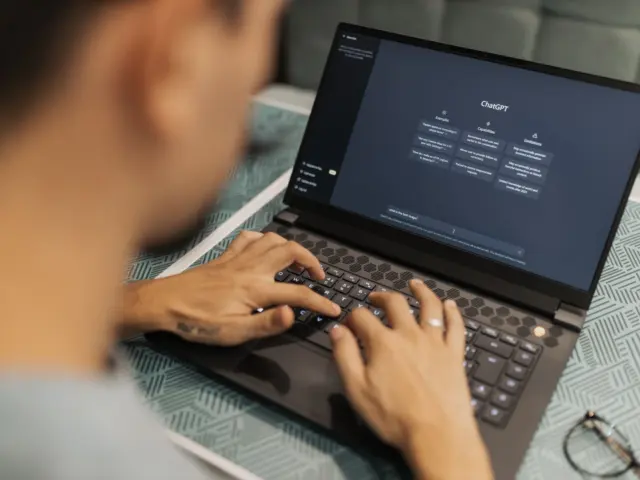
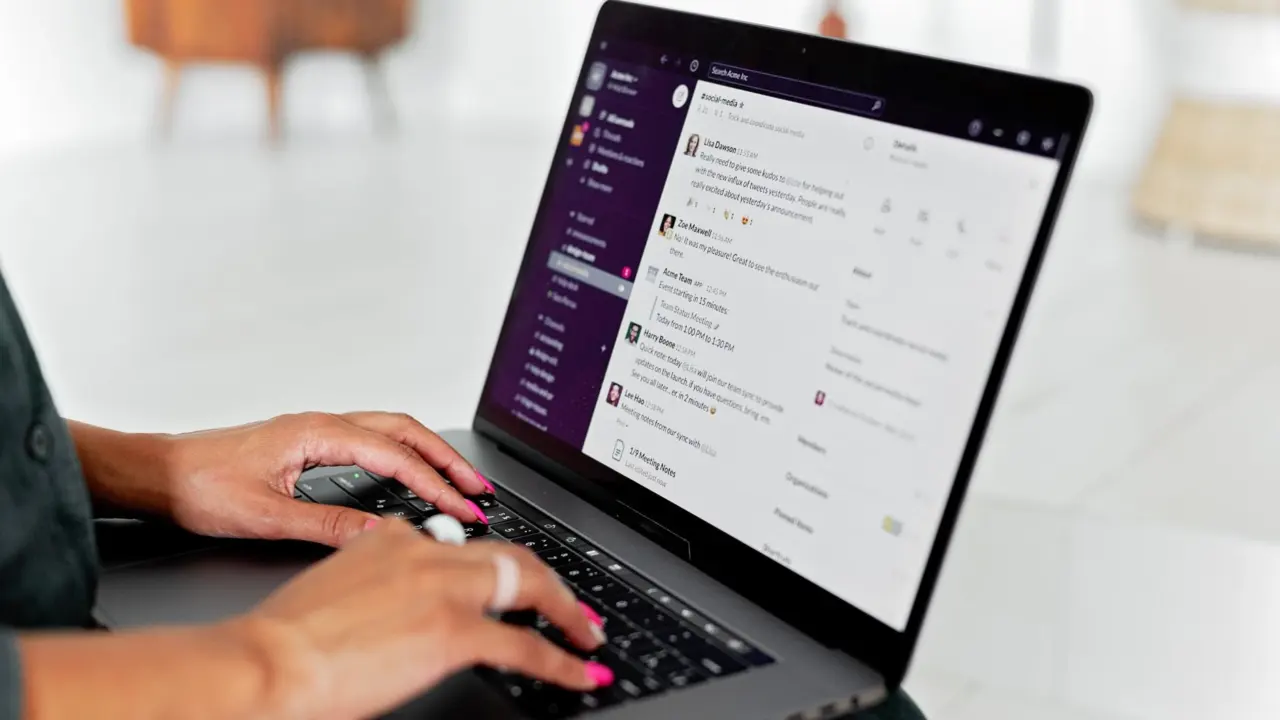
A resume chatbot turns your resume into a conversation, so a recruiter can ask about your skills, experience and availability instead of scanning a page. It supplements your ATS-ready resume and does not replace it.
If you want a plain definition before choosing a route, start with what is a resume chatbot. If you are ready to make one, how to build a resume chatbot walks through the build in order. This guide sits above both. It explains the pieces, the decisions that matter most and the limits to respect, so you can pick a starting point with confidence.
What a resume chatbot does
A resume chatbot is a chat interface built on resume content. Instead of reading a fixed document top to bottom, a visitor asks a question and receives an answer drawn from the material you supplied. The idea is simple. The practical value depends on how carefully the underlying content is prepared.
Two directions the same idea can take
Chatbots in this space work in two different directions, and it helps to know which one you want.

- The bot asks, you answer. A Messenger chatbot on GitHub, for example, generates a resume from a series of questions the bot asks. Its output is a LaTeX resume file, and its back end uses Node.js with the Express.js framework. The conversation is a data-collection device for producing a document.
- The visitor asks, the bot answers. A portfolio chatbot lets recruiters and clients ask about your published skills, experience, projects and availability, as Prezumi describes its premium chatbot. The conversation is the presentation of the resume itself.
- A hybrid that tailors. A community-built Chat-Based Resume Creator uses a chat interface to generate a resume tailored to any job description. It is closer to a writing assistant than a visitor-facing bot.
Most of this guide concerns the second direction, because that is what people usually mean by a resume chatbot on a personal page. The first and third are useful if your real problem is drafting or tailoring.

Who is involved
Three parties shape the decisions. The job seeker owns the content and decides how much of it is public. The recruiter is the reader, and arrives with specific questions about fit, recent work and availability. The applicant tracking system, or ATS, is the software that parses the resume file you submit with an application. The chatbot touches the recruiter directly. It does not touch the ATS at all, which is why your submitted resume still has to do its own job.
Choosing where to start
Your starting point depends on your technical comfort, your budget and how much control you want over the answers. Pick the route that matches your situation rather than the most impressive one. A simple bot with accurate answers beats an elaborate one that guesses.
- You want to see finished work first. Browse resume chatbot examples to see how others handle structure and tone before you commit to a design.
- You are comparing tools. The best resume chatbot builder comparison sets platforms side by side on common criteria. Use it when the platform decision is still open.
- Cost is the deciding factor. Look at a free resume chatbot before paying for anything. A free tier is enough to test whether your content works in conversation.
- You already use a general AI assistant. The guide on how to make a resume chatbot with chatgpt suits people who want a working bot with the least setup.
- You prefer visual builders. A no code resume chatbot avoids programming entirely and suits anyone who would rather spend time on content than configuration.
- You want full control and can program. A resume chatbot python project gives you control over data handling, but it puts hosting and key security on you.
Whichever route you choose, the content work is identical. The sections below cover that work first, then the build options, then the effects on applications and privacy.
Preparing your resume content
A chatbot can only answer from what it holds, so the quality of your source material sets the ceiling. Platforms that ground answers in published profile data, as the Prezumi chatbot does, produce answers that stay tied to what you actually wrote. That is a strength only if the profile is complete and accurate.
Audit the source document
Read your current resume as if you were a stranger asking questions of it. Where would a recruiter want more detail than a bullet point gives? Typical gaps include the context behind a result, the tools used on a project, why you left a role and what kind of work you want next. Write those answers down in plain sentences. They become the material the chatbot draws on, and they often improve the resume itself.
Mark every claim you cannot support with evidence. If a bullet says you improved a process, be ready to say what changed and how you know. A chatbot that repeats a vague claim confidently only draws more attention to its vagueness. For help deciding which sections deserve space, the guide on what to include in a resume chatbot goes through the options in detail.
Decide what stays out
Not everything in a resume belongs in a public chat window. Home address, personal phone number, references’ contact details and anything covered by a confidentiality agreement are the obvious candidates to leave out. The sensible rule is to publish only what you would be comfortable having read aloud to a stranger, because commentary on chatbot use advises treating any information given to a chatbot as if it were posted on a public website. The privacy section later in this guide develops that point.
Writing question-and-answer pairs
The heart of the conversion is turning each part of your resume into questions a recruiter might plausibly ask, each paired with a short, factual answer. Recruiters and clients using a portfolio chatbot ask about skills, experience, projects and availability, so those four areas make a sound organising frame.
A worked set of pairs
The table shows how a resume section becomes a question and an answer pattern. Bracketed items are placeholders for your own details, not real values.
| Visitor question | Resume material to draw on | Answer pattern |
|---|---|---|
| What do you do at [Employer]? | Job title, main responsibilities, a headline result | State the role and the core duty in a sentence, then the result, then offer a related project. |
| Which tools are you strongest in? | Skills section plus where each was used | Name the tool, the kind of work it supported and the project that shows it. |
| Tell me about [Project]. | Project description, your role, outcome | Give the problem, your contribution and the outcome in that order. |
| When are you available? | Notice period, preferred start, location preferences | Give your current status in plain words and how to arrange a conversation. |
These question areas mirror the scope Prezumi lists for its portfolio chatbot, and its note that answers are grounded in published profile data rather than generic responses.
The answer pattern that works
Write each answer so it stands alone, because a visitor may ask the questions in any order. A dependable shape is statement, evidence, invitation. For example:
- Question: What did you work on at [Employer]?
- Answer: I was [job title], responsible for [main duty]. The result I point to most is [outcome from your resume bullet]. If you would like detail, ask me about [related project].
The closing invitation matters. It gives a recruiter a natural next question and keeps the conversation inside material you have prepared. Keep answers short enough to read on a phone, and place the most useful fact in the first sentence.
Honest limits to build in
Decide in advance what the bot does when asked something it cannot answer. The honest response is to say the information is not available and point to a way of contacting you. A bot that fills the gap with a plausible guess is worse than no bot, because a recruiter may trust the guess.
This risk is real for general-purpose AI models. Employment-law commentary on workplace chatbot use notes that ChatGPT does not rely on facts but merely predicts strings of words, so users may receive intelligent-sounding but inaccurate answers. If your bot uses a language model, instruct it to answer only from your supplied material, and test it with questions you deliberately leave unanswered.
Also test with questions that are slightly off-topic, such as salary expectations or reasons for leaving a job. Decide whether you want the bot to answer those at all. Many candidates prefer to direct such topics to a human conversation.
Designing the conversation flow
Even a simple bot benefits from a plan. A flow defines how a conversation opens, how it branches and how it ends. Sketching it on paper or a whiteboard before touching a tool saves rework, because changing a drawn arrow costs far less than rebuilding a configured bot.
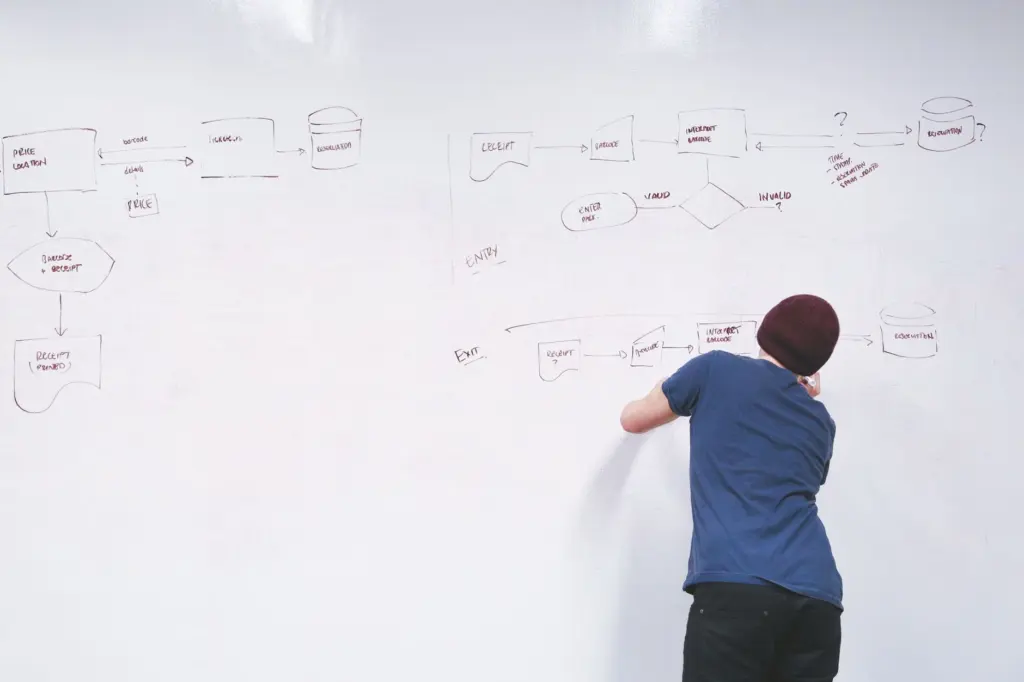
Opening and branching
Begin with a greeting that says what the bot is and what it can discuss, then offer a few suggested starting questions. Suggested prompts help visitors who do not know what to ask, and they steer attention to your strongest material. From each prompt, branch into the main areas: experience, skills, projects and availability. Allow a visitor to move between branches freely rather than forcing a fixed sequence.
Fallbacks and handoff
Plan the fallback response for unrecognised questions and the handoff to a real person. A good handoff names the way to reach you, such as an email address you are happy to make public, and says what kind of questions are best handled directly. Treat the fallback as part of the design, not an afterthought. For a deeper treatment of these choices, see the guide on how to write chatbot conversation flow for resume.
Build routes compared
There is no single correct way to build a resume chatbot. The routes differ mainly in how much you control and how much you maintain.
Platform and builder routes
Hosted platforms handle the interface, hosting and often the language model. They suit job seekers who want a working bot quickly and are happy to work inside a provider’s limits. The trade-off is that you rely on the provider’s data handling and feature set. Before uploading anything, read the provider’s statement on what happens to your data. Enhancv, for example, states that it never shares your data with third parties or uses it for AI model training. That is the kind of explicit statement worth looking for, though it comes from the vendor itself and applies to its own product.
Code routes
If you can program, a custom build gives you control over data and behaviour. The community-built Chat-Based Resume Creator uses the OpenAI API for suggestions, Streamlit for the interface, pdfplumber to extract text from PDFs and Python to connect them, as its Streamlit forum post describes. A reply in the same thread praises keeping the API key hidden through environment variables or Snowflake with Snowpark. That is a useful reminder that a code route makes you responsible for keeping credentials out of public view.
Platform policy can also limit a project. The Messenger resume bot on GitHub carries a note that it is not for public use currently due to Facebook policy. If you build on a social platform, check that the platform allows what you plan before investing time.
General AI assistant routes
A general AI assistant can be given your resume content and instructions about scope, which makes it the lowest-effort path to a working prototype. It also carries the accuracy and privacy cautions described elsewhere in this guide, so keep the content you supply limited to what you are comfortable making public. The step-by-step guide on how to make a resume chatbot with chatgpt covers the setup in detail.
Applicant tracking systems and your chatbot
An applicant tracking system parses the resume file you submit and turns it into structured data for recruiters. The chatbot plays no part in that step. Your application document therefore still needs to survive parsing, whatever you build on top of it.
Vendors document how their templates behave. Enhancv says it provides 15 ATS-tested templates, each parsed at 90%+ by Sovren and RChilli, which it describes as the parsers behind most Fortune companies’ systems. Treat that as one vendor’s testing of its own templates, not a guarantee for every employer’s system. It does show that parsing quality is measurable, and that template choice affects it.
The practical decision follows from this. Prepare a clean, parser-friendly resume for the application itself. Then link to the chatbot from a profile, a personal page or an email signature, where a recruiter who wants more can follow it. The same source also notes that job-matching a resume takes under 30 seconds with a to-do list of fixes. Use that kind of check on the document you submit, and keep the chatbot for the follow-up questions.

Recruiters and what they gain
The recruiter is the person you are building for. A portfolio chatbot is designed so that recruiters and clients can ask about your published skills, experience, projects and availability, and it is available 24/7 without you lifting a finger. For a busy reader, the benefit is a fast route to a specific answer.
Whether a particular recruiter will use it is a separate matter. Treat the chatbot as an optional extra that rewards curiosity, not a step anyone must take. Recruiters often arrive with a narrow question, such as whether you have used a certain tool or when you could start, and a good bot answers exactly that. The wider question of reception is covered in do recruiters like interactive resumes.
Where to place the bot
A chatbot needs a home that recruiters will actually visit. Many job seekers embed it on a personal page, and the guide on how to add chatbot to personal website covers that setup. If you are unsure whether a site or a bot is the better investment, the comparison of personal website vs resume chatbot weighs the two against each other.
Chatbot or traditional resume
These are different tools doing different jobs. A traditional resume is a fixed, scannable summary that an ATS can parse and a recruiter can skim. A chatbot answers follow-up questions in the reader’s own order. You rarely need to choose between them.
The traditional resume wins where the process is formal: applications, parsing and a quick first screen. The chatbot adds value afterwards, when someone wants depth on a project or a quick check on availability. A detailed side-by-side appears in resume chatbot vs traditional resume, and the gains for the candidate are covered in benefits of a resume chatbot.
The practical rule is to build the traditional resume first and make it strong. Add a chatbot only when you have accurate, well-organised answers to give it. A weak bot attached to a strong resume can do more harm than having no bot at all.
Privacy and data handling
Putting resume data into a chatbot means placing personal information in a system you may not control. A resume holds contact details, employment history and sometimes more. Decide what you are prepared to share before you paste or upload anything.
Treat input as public
Commentary on employer chatbot policies advises that users treat any information provided to ChatGPT as if it will be posted on a public website. It also recommends that employers prohibit uploading confidential or private information into such tools. The same discipline applies to a job seeker. If you would not publish a detail openly, do not give it to a chatbot.
- Keep contact details minimal. Offer an email address you are happy to publish and leave out home address and personal phone number.
- Leave out confidential work. Describe results in general terms if an employer’s information is under agreement.
- Avoid third-party details. Do not include other people’s personal data, such as referees’ contact information, without their consent.
- Read the data statement. A vendor such as Enhancv states that it never shares data with third parties or uses it for AI model training. Look for an equally explicit statement from any provider you use, and remember it describes that vendor’s own product.
- Protect your keys. If you build your own bot, keep any API key in a hidden environment variable, as developers in the Streamlit community thread recommend.
Regulation is still moving
Rules for AI use are developing. The employer-policy commentary mentions a proposed California bill, SB313, that would require state agencies using generative AI to communicate with the public to say so. It had been proposed and had not passed at the time of that article, so it is not a current obligation. The direction is still worth noting. Being open that your chatbot is automated is sensible practice for a job seeker whatever the law requires, and it keeps visitors from mistaking a bot’s answers for your live reply.
Frequently asked questions
Do recruiters actually use resume chatbots?
Some tools are built for exactly that purpose. Prezumi’s chatbot, for instance, lets recruiters and clients ask about published skills, experience, projects and availability. How often any given recruiter does so varies, so treat the bot as an optional extra and keep the application resume as the document that carries the weight.
Is a resume chatbot better than a traditional resume?
No, it does a different job. The traditional resume is the document an ATS parses and a recruiter skims. The chatbot suits follow-up questions once a reader is interested. Build the resume first and add the bot when you have accurate answers for it.
Which file types can I upload to a resume tool?
It depends on the tool. Enhancv’s upload accepts PDF or DOCX only, with a maximum file size of 2MB. Check the limits of any platform before preparing your file.
What if a visitor asks something the bot cannot answer?
Write a fallback that admits the gap and points to your contact method. That is safer than letting a language model guess, since chatbots predict strings of words and can return inaccurate answers.